
Worth a listen. Yours to keep.
Record audio from your Chrome tabs. Pause, resume, and save as WAV—all on your device.
There is no listing to link to yet. This page will carry the install link the moment there is one — nothing here is a placeholder for a store page that already exists.
A recorder that stays out of the way
Still is a Chrome extension for capturing the audio already playing in one of your tabs — a lecture you will want again, a call you were told to keep, a track you cannot find twice. It records the tab, not the room, and it saves the result to your own machine.
This website does not record anything. Recording happens in the extension, in your browser.
What it looks like
The extension interface, with example sessions in place of anyone's real recordings.
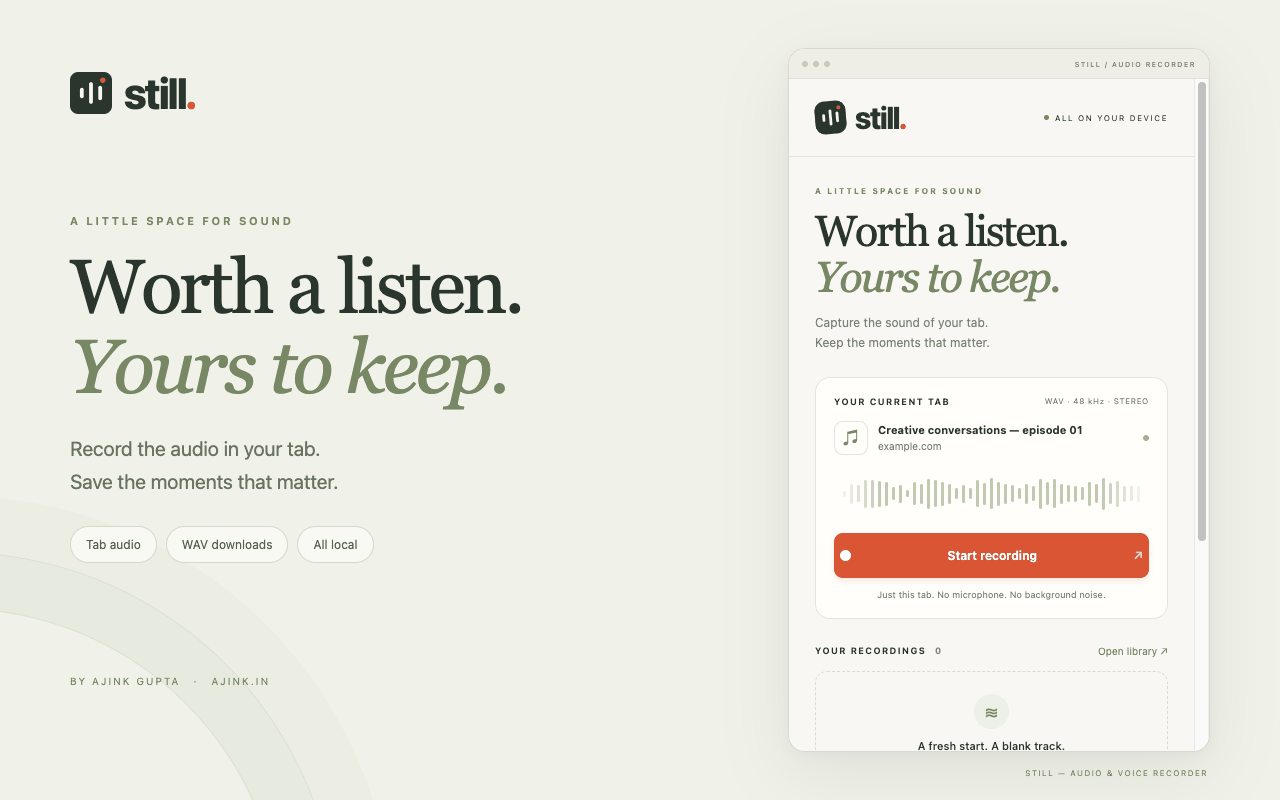
Start a recording from the tab you are already listening to. 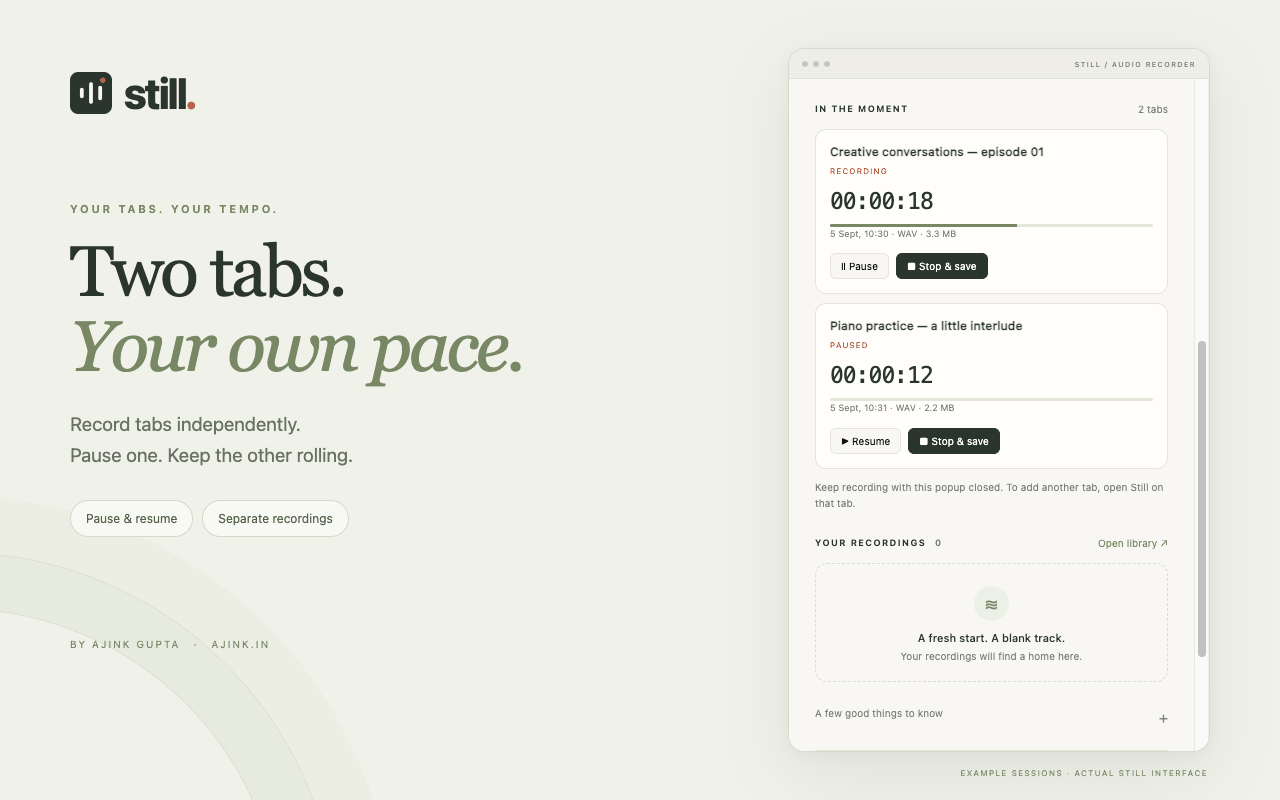
Two tabs recording at once — one running, one paused. 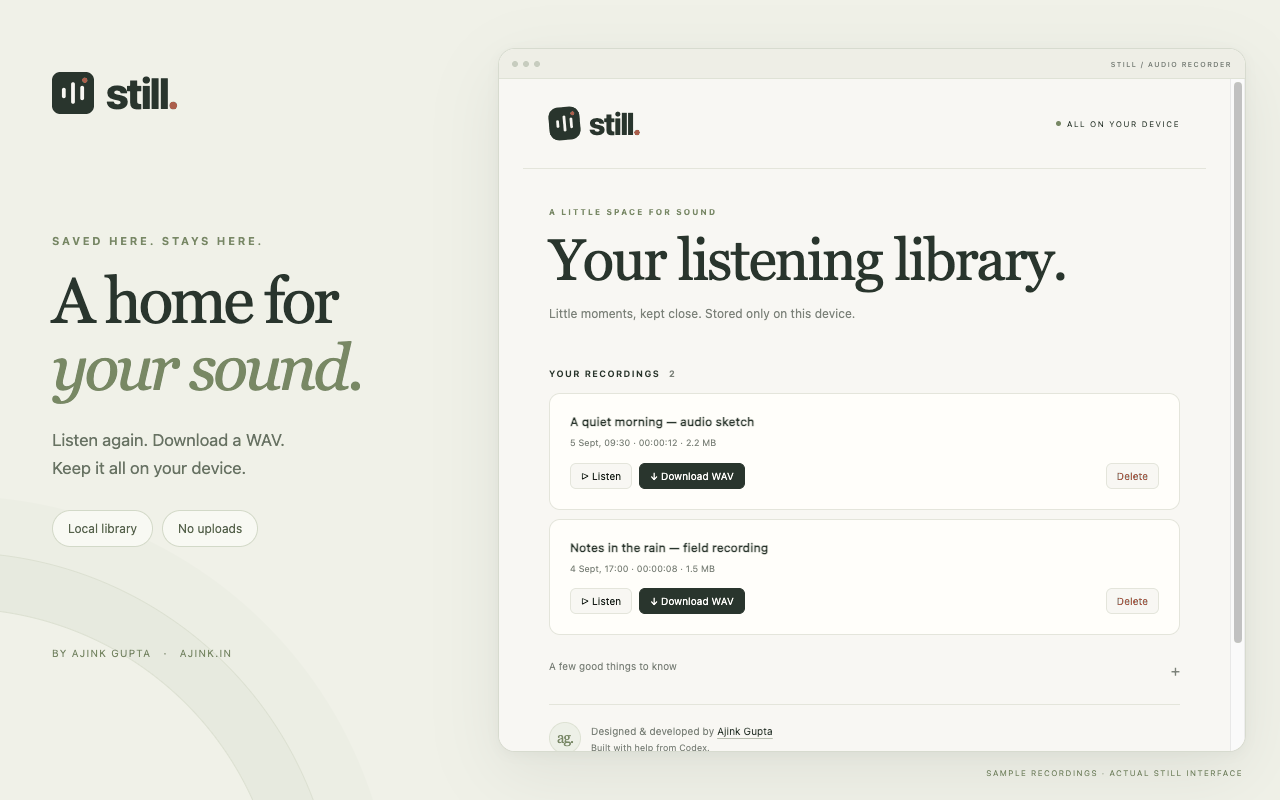
Everything you have kept, stored on the device you recorded it on.


What it does
Tab audio capture
Records the sound playing in the Chrome tab you pick. Your microphone is never opened, so the room you are sitting in stays out of the file.
Pause and resume
Stop for the ad break, the interruption, the second cup of coffee. Pick it back up and it is still one recording, not three.
Keeps going with the popup closed
Close the popup and capture carries on in the background. Reopen it whenever you want to see the timer or stop.
One recording per tab
Start Still on a second tab and it records separately — its own timer, its own controls, its own file at the end.
A library you can play back
Listen again, rename nothing, delete what you do not want. The library lives inside the extension, on your device.
Stereo WAV downloads
Exports 16-bit PCM WAV, stereo, 48 kHz. Uncompressed, so what you download is what the tab played.
Four steps
Open a tab that is playing audio
A podcast, a call, a lecture, a track you are about to lose.
Open Still and start recording
The popup shows the tab it is about to capture before you commit to it.
Pause and resume as you need
You can close the popup and carry on browsing; the capture keeps running.
Stop and download the WAV
The recording lands in your library, and the WAV lands wherever Chrome saves files.
Where the audio goes
Nowhere. Recordings are written to local storage in your own browser and stay there until you delete them.
- Audio is never uploaded to a server — mine or anyone else's.
- There is no account, no sign-in and no sync.
- The extension carries no analytics and no advertising.
- Still does not add its own encryption; the files sit in your browser's storage with whatever protection your computer already gives it.
The full detail — what is stored, why each permission is asked for, how to get rid of it all — is in the Still privacy policy.
Before you install
Does Still record my microphone?
No. Still captures the sound playing in the selected tab and nothing else. Your microphone is never opened.
That does include voices coming through a call in that tab — the other people you can hear are part of the tab audio. Your own voice, spoken into your microphone, is not.
Can I record more than one tab at a time?
Yes. Open Still on each tab and start it there. The recordings are independent: separate timers, separate pause and stop controls, and a separate file for each when you export.
There is no combined mix-down — two tabs give you two WAVs.
What happens if I close the popup?
Nothing. Capture continues in the background and the popup picks the session back up when you reopen it.
Closing Chrome itself is different: that interrupts any active recording. Audio already committed to the local library can usually be recovered, but the last chunk that had not been written yet may be lost.
How long can a recording be?
There is no artificial timer in Still. The real limits are your disk space, what the browser can keep in memory, and the WAV format itself — a standard WAV tops out at roughly 4 GB, which is about 6.2 hours of 48 kHz stereo in a single file.
Very long recordings also need a lot of memory at export time. Plan for that rather than assuming a session can run indefinitely.
What format do I get?
Stereo, 16-bit PCM WAV at 48 kHz.
This version does not do MP3, transcription, trimming, cloud sync or microphone recording. If you need a compressed file, convert the WAV afterwards with a tool you already trust.
Which browsers does it work in?
Chrome 116 or newer, on desktop.
Some pages cannot be captured at all: Chrome's own internal pages (settings, the extensions page, the new-tab page) and some protected media streams are closed to extensions. There is no mobile-browser version.
How do I delete a recording?
Delete the entry in the library inside Still. That removes the audio and its metadata from local storage.
Any WAV you already downloaded is an ordinary file on your computer — Still cannot reach it. Delete those yourself.
Does it cost anything?
No. Everything the extension currently does is free.
Support is optional and separate: it does not unlock features, and nothing on the support page is a promise of something to come.
Something not working?
Email me and I will look at it. A description of what happened is enough to start — please don't send recordings.